B_inSync
Measures the offset between picture and sound: drag a video recording of a Sync-it device or of the edyds Sync Test into the window and the delay appears in milliseconds and in frames. B_inSync works with Sync-it and with the edyds Sync Test.
What it looks like
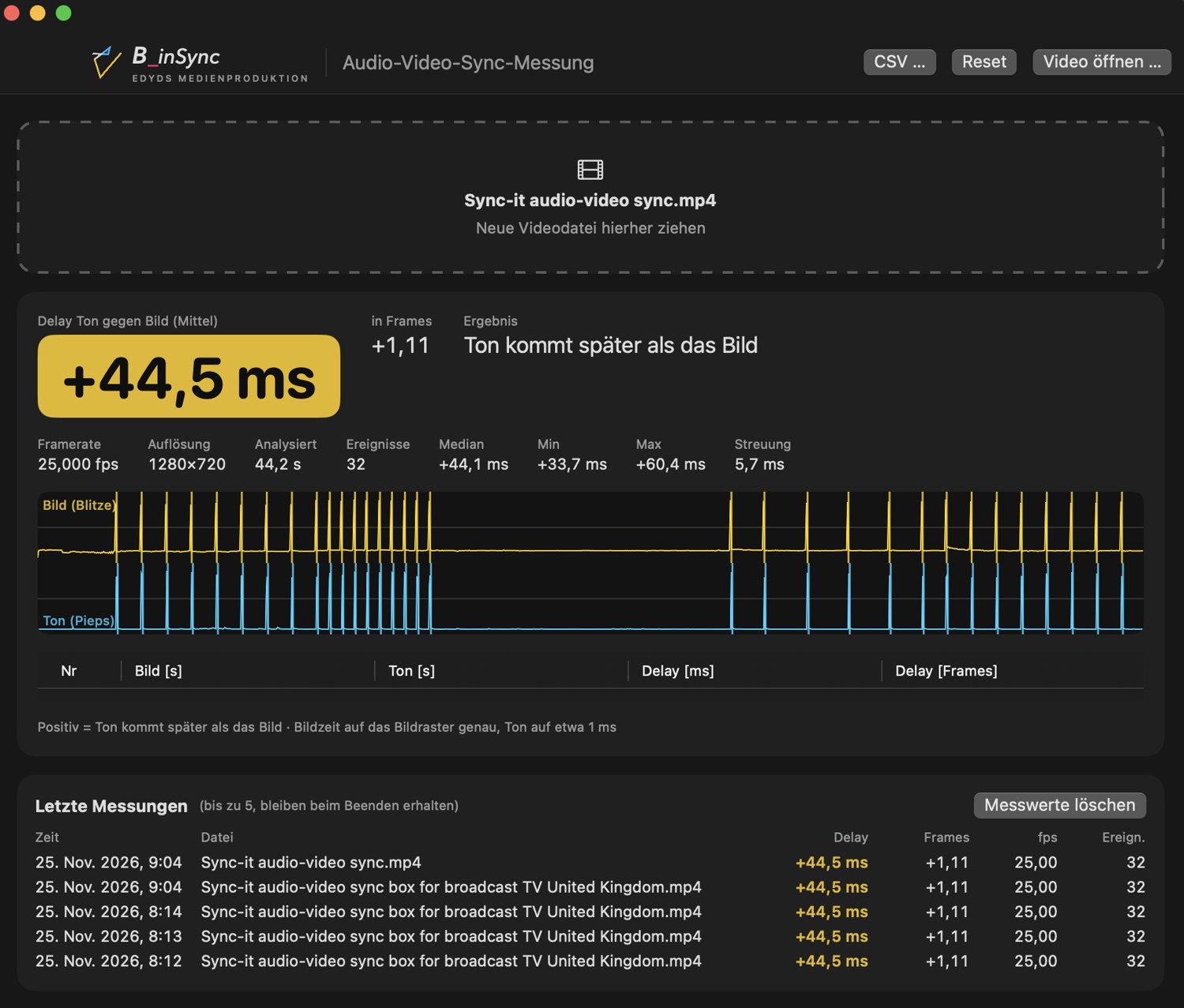
Here B_inSync has analysed a recording: 32 flashes and beeps paired, +44.5 ms on average. The sound arrives about one frame later than the picture.
What B_inSync can do
Video in, delay out
Drag a video file onto the window or open it with ⌘O. The first 120 seconds are analysed; the program detects the frame rate by itself.
Matching flash and beep
B_inSync finds every flash in the picture and every beep in the sound and pairs them. For each event the table shows the time in picture and sound and the delay.
Mean, median, spread
Above the table you see mean, median, minimum, maximum and spread. Positive values mean the sound comes later than the picture. Negative values: the sound comes earlier.
Timeline for checking
Picture brightness in yellow, audio envelope in blue and all detected events on top, so you can see whether the pairing is right.
Accurate enough for practice
The picture time is accurate to the frame grid, about ±20 ms at 25 fps. The sound is accurate to about 1 ms. The mean over several flashes is more accurate than a single value.
CSV export
“CSV …” exports the table, “Reset” (⌘R) clears the window for the next file.
Technical data
| Version | 1.0.0 (Mac), 1.0.0 (Windows) |
|---|---|
| Mac | macOS 14 or later, Apple Silicon (arm64); checked by Apple (notarized) and signed |
| Windows | Windows 10 or 11, 64-bit (x64); not signed (SmartScreen notice on first launch) |
| Input | Video file with picture and sound, recording of a Sync-it device or the edyds Sync Test (flash and beep) |
| Analysis | the first 120 seconds, frame rate detected automatically from the file |
| Output | Delay in milliseconds and frames, mean, median, min, max, spread, export as CSV |
| Price | free (freeware) |
Download
B_inSync is freeware and costs nothing. If the program saves you work, I would be happy about a tip.
- B_inSync 1.0.0 for MacApple Silicon · macOS 14+ · ZIP, 1 MBFreewareDownload
- B_inSync 1.0.0 for WindowsWindows 10/11 · 64-bit · portable, no installation, 97 MBFreewareDownload
Windows: Start the downloaded .exe file directly, no installation needed. The program is not signed, so Windows shows a SmartScreen notice on first launch: choose “More info” and then “Run anyway”.

The tip button leads to PayPal, an external service. Data is only sent to PayPal once you click. A tip is voluntary and changes nothing about the features.
Sync-it is a trademark of its respective owner and is used for description only. All manufacturer, product and brand names mentioned belong to their respective owners.
The Sync Test
To measure you need something that sends a flash and a beep. The edyds Sync Test does that in your browser: flash, sound and a millisecond scale run in time, plus a count with an accent tone. You set frame rate, interval, flash length, pitch, beep length and level yourself, and you can add your own logo.
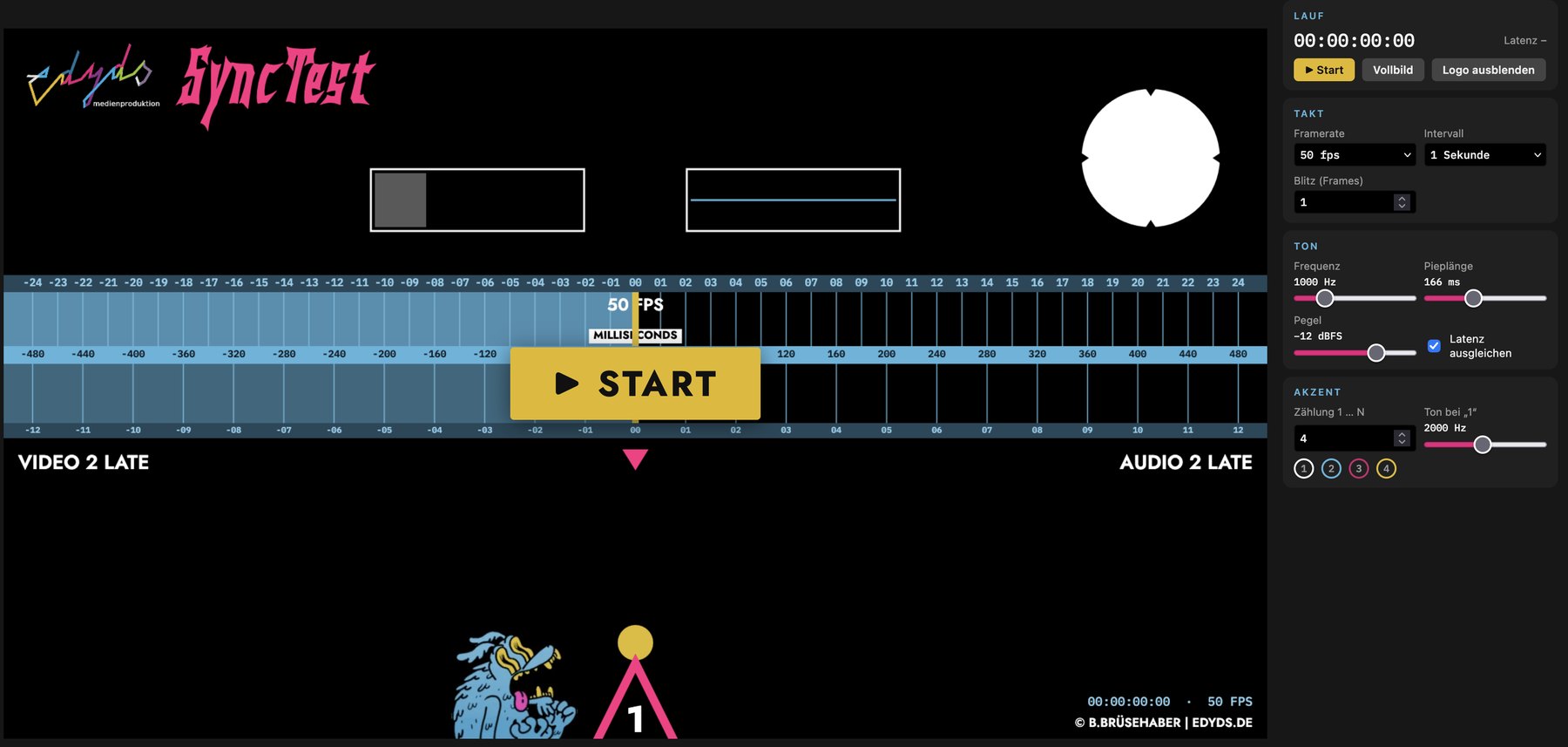
The Sync Test is a single HTML file and runs in any current browser. You can have the device's output latency compensated; the compensated value is shown in the control panel.